


Product
Everything between the brief and the first drawings.
Autonieer pairs an AI that plans space with a deterministic solver and a real CAD editor. Here is what each part does — and what it deliberately doesn't.
AI planning
It asks before it guesses — and shows its work.
A language model reads the brief and plans the programme: which rooms, how big, what sits next to what. A deterministic solver turns that into geometry, so walls always meet and rooms always close. The result is a concept for a qualified professional to review — not a construction or permit drawing.
- Up to four clarifying questions when a brief is ambiguous — or “decide for me”
- Assumptions listed explicitly, never smuggled in
- Every sentence of the summary checked against the drawing before you see it
- Rooms you ask for are never dropped; limits are reported, not hidden
- Refine in plain words: “add a home office next to bedroom 2”
- Tells you which engine drew the plan — and when it fell back to the offline planner
Pro CAD editor
Feels like the CAD you know. Thinks like nothing before it.
Dock, split and float every panel. Draw with ortho and object snaps, type coordinates into the command line, manage AIA layers, and ask the AI to revise in place — every change lands in undo history.

- 58 tools and 88 commands across a ribbon, tool strip and Ctrl+K palette
- Walls, doors, windows, rooms, stairs, columns, beams
- Offset, trim, extend, fillet, chamfer, mirror, arrays
- Chain and overall dimensions, leaders, tags, title blocks
- 31 parametric fixtures that render as real plan symbols
- Autosave, version history and conflict-safe saving
2D + 3D
The same model, walkable.
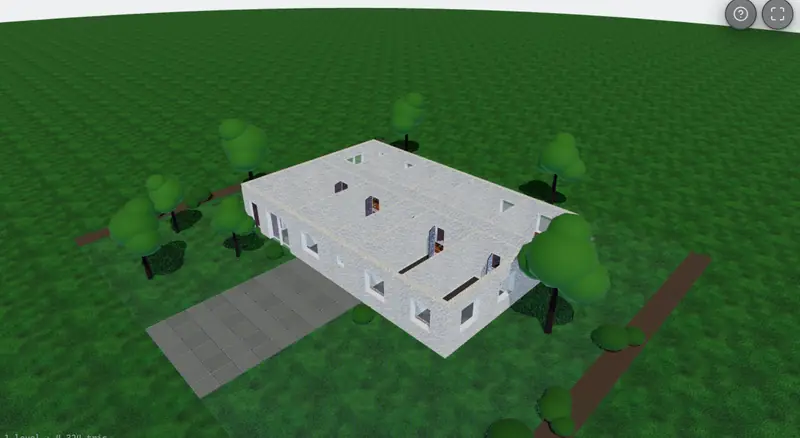
There's no separate 3D model to keep in sync. The plan is the model: open it in 3D to orbit, or walk through at eye height and take the stairs.
- Orbit, first-person and third-person views with WASD or arrow keys
- Walkable stairs between storeys, with collision
- Realistic materials, sun position and optional site context
- Place, move and rotate objects in 3D — changes reach the 2D plan and exports
- One-click screenshots
Tall buildings
From a house to a tower.
Towers of up to 120 storeys are composed from floor types — ground, amenity, typical floors, roof plant — around one stair-and-lift core that stays put from bottom to top.
- Units per floor or total units, honoured exactly
- Basements and attics as real levels
- Commercial types: offices, retail, mixed use
- Exports stay fast even at a hundred storeys
DXF import
Start from what you already have.
Bring an existing DXF and keep working. Autonieer recognises the building in it rather than importing loose lines. Import is included with Pro and Team.
- Walls from paired lines, openings from blocks or gaps
- Rooms from area polylines or traced enclosures
- Units read from the file — and anything inferred is reported
- Round-trips cleanly back out to DXF
Formats
Hand it on in the formats your consultants use.
Every format below ships today. Layers follow the AIA standard (A-WALL, A-DOOR, A-GLAZ…), IFC4 carries storeys, walls, openings and spaces, and PDF sheets print at true scale.
| Format | What's in it | Opens in | Plan | Status |
|---|---|---|---|---|
| .dxf | DXF R2018 · AIA layers | AutoCAD, BricsCAD, DraftSight, Rhino; imports into SketchUp and Revit | Pro and up | Available |
| .ifc | IFC4 · storeys, walls, openings, spaces | Revit, ArchiCAD and other IFC-capable BIM tools | Team and up | Available |
| PDF sheets · A3/A2/A1, true scale | Print, review, mark-up — title block, scale bar, north arrow | Pro and up | Available | |
| .glb | glTF / GLB · metres, Y-up | Blender, SketchUp, three.js, AR viewers | Pro and up | Available |
| .obj | OBJ | Almost every 3D package | Pro and up | Available |
| .svg | SVG | Presentations, the web, Illustrator, Figma | All plans | Available |
| .json | Autonieer Plan Document | Your own pipelines, via the API | All plans | Available |
Teams
Work as a studio.
Organizations keep every customer's work strictly separate. Invite colleagues, give them the right role, and see every version of every design.
Audit log and IFC4 export on Team and Enterprise.
API
Automate the first draft.
A REST API with organization-scoped keys, idempotency keys, cursor pagination and published rate limits — generate and export plans from your own tools.
$ curl -X POST $API/ai/generations \
  -H "Authorization: Bearer ank_…" \
  -H "Idempotency-Key: 7c1e…" \
  -d '{"prompt": "Two-bed house",
       "options": {"floors": 1}}'
→ 202 Accepted
API keys on Pro and above.
Sheet A-000 · Rev A